
IPTVnator.wikidownload + setup notes
Get Windows
EN
Menu
IPTV PLAYER · DESKTOP + PWA

IPTVnator Download & Setup Guide

Find the current IPTVnator desktop release, open the web player, and follow practical setup guides for playlists, Xtream Codes, EPG and playback problems.

v0.22.0 · Official GitHub release source · Last checked August 15, 2026

Player only — playlists, subscriptions, channels and EPG data are not included.
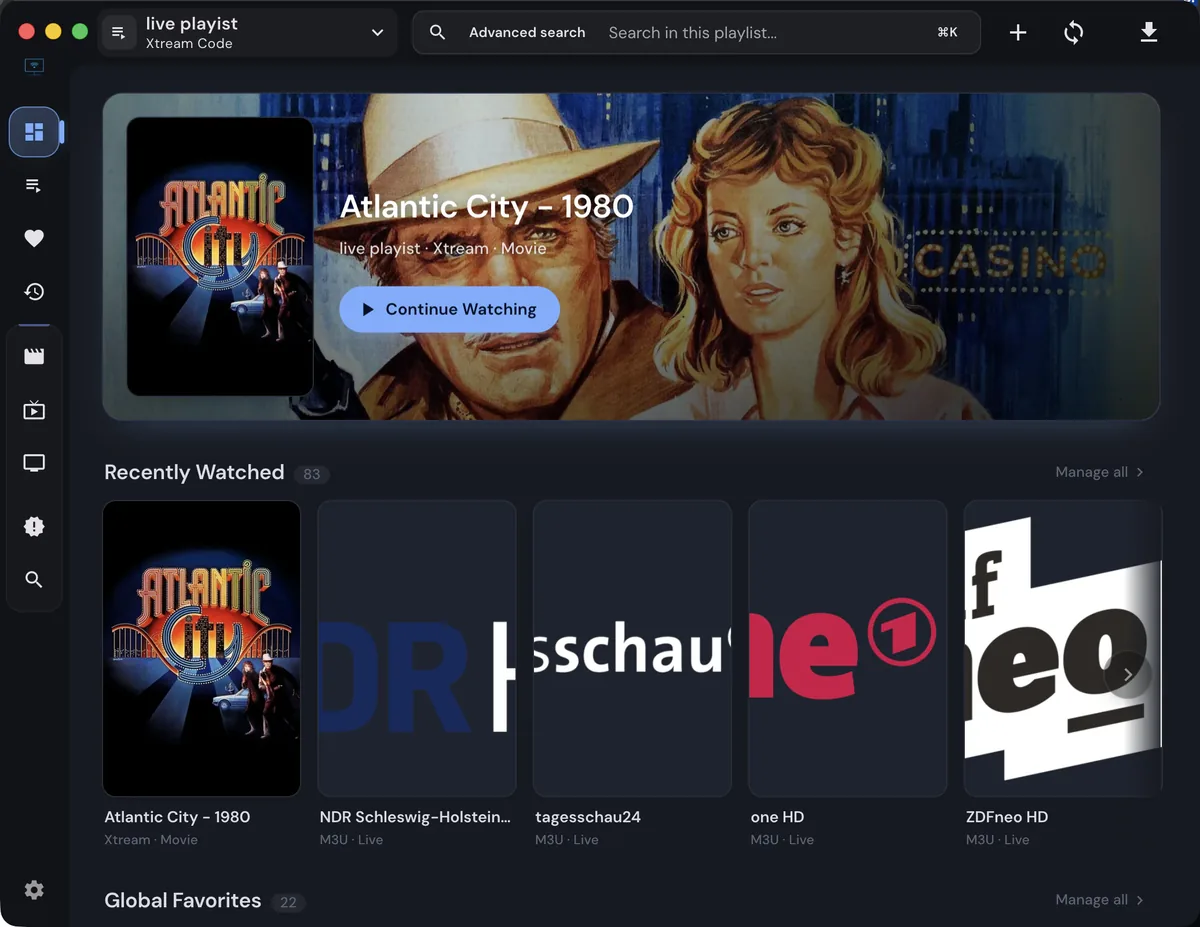
IPTVnator dashboard showing a playlist, search box and recently watched cards
Real IPTVnator interface screenshot from the project's public website or repository.
Latest releasev0.22.0
Desktop targetsWindows · macOS · Linux
Web optionPWA / browser player
Source policyProject release links
WHY USERS SEARCH FOR IT

One player, several IPTV workflows

IPTVnator brings common playlist and playback tasks into one interface. The exact feature set depends on the platform and source.

M3U and M3U8 playlists

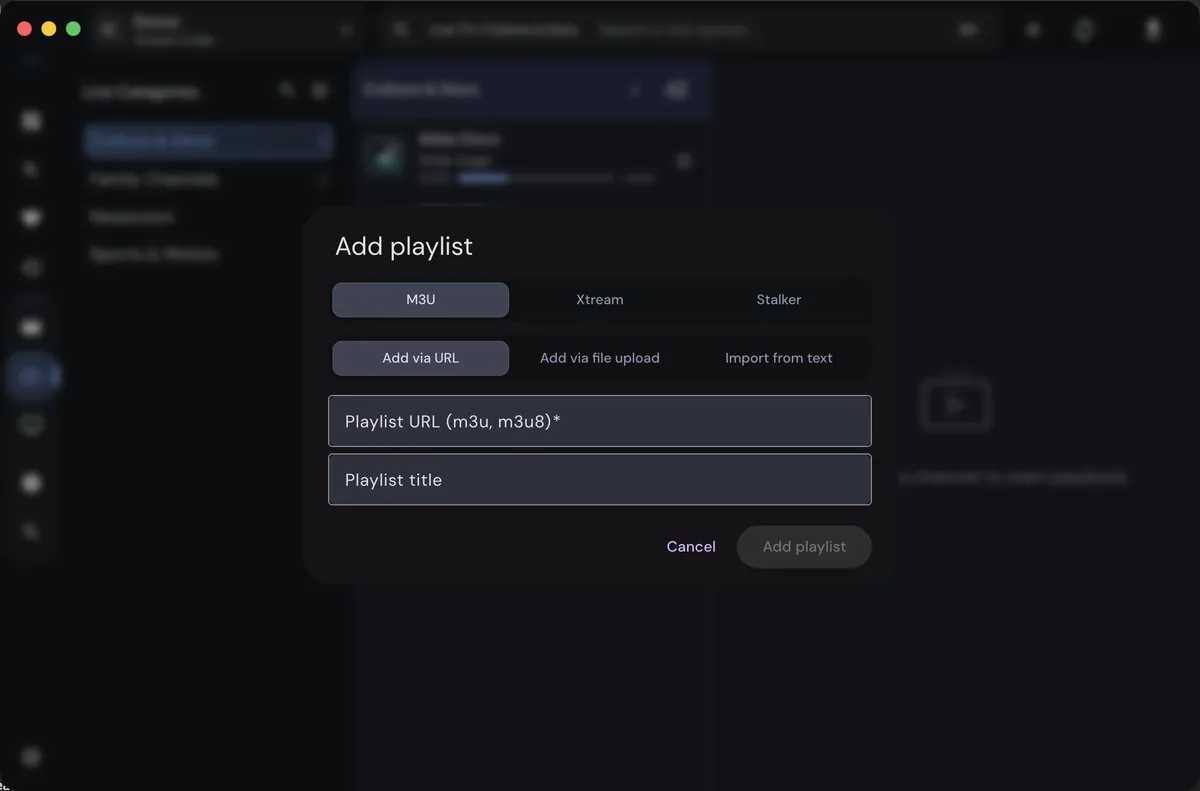
Add a URL, local file or text-based playlist, then organize channels and categories in the player workspace.

Learn M3U setup →

Xtream and Stalker inputs

Use structured provider inputs when available, while keeping usernames, passwords, MAC addresses and tokens private.

Learn Xtream setup →

EPG, VOD and series

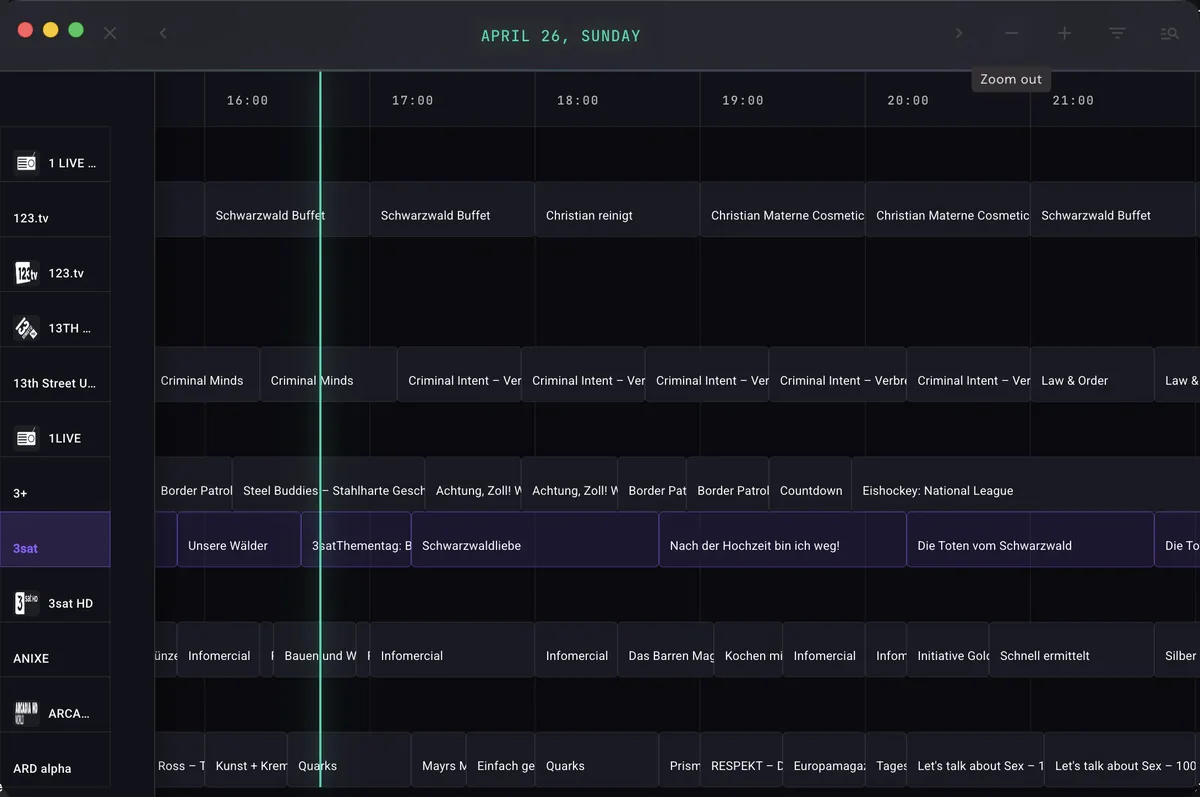
Browse guide data and on-demand categories when your provider exposes the necessary metadata and endpoints.

Compare platform support →

Settings and playback choices

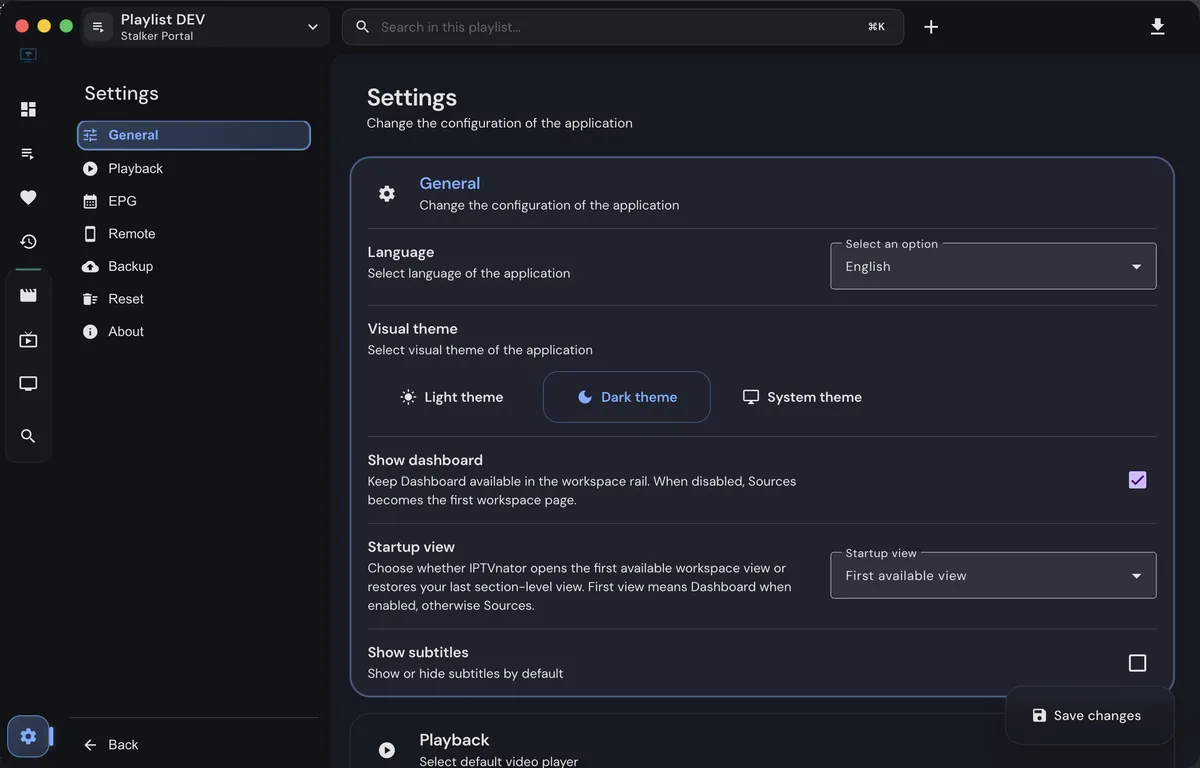
Adjust language, theme and playback preferences, then isolate stream errors without rebuilding every playlist.

Open settings guide →
REAL PRODUCT UI

See what IPTVnator looks like

These screenshots come from the IPTVnator project's public website or repository. They show the interface, not a channel or subscription supplied by this site.

IPTVnator dashboard showing a playlist, search box and recently watched cards
Dashboard: a workspace for playlist content, search, recently watched items and favorites.
CURRENT RELEASE PATHS

IPTVnator download choices for your platform

Use the direct Windows button above or compare every platform on the download hub. File names and architecture labels come from official release data, so you can make an informed IPTVnator download choice.

RELEASE SOURCE

v0.22.0 · published July 5, 2026

Release data checked August 15, 2026. If a file cannot be verified, this site points to the official release page instead of a third-party mirror. For a safer IPTVnator download, compare the asset name with the official release source.

See release matrix
FROM DOWNLOAD TO FIRST PLAY

How to get IPTVnator working

Start small and keep each stage testable. That makes it easier to identify whether an issue belongs to the app, the browser, the playlist or the stream provider.

01

Choose the build

Match Windows, macOS, Linux or web to the device you actually use.

02

Open settings

Check language and playback preferences before importing a large list.

03

Add one source

Use an authorized M3U, Xtream or Stalker source and keep credentials private.

04

Test one stream

Confirm video, audio, codec and guide data separately instead of guessing.

05

Back up and update

Keep your own playlist backup and use project releases for future updates.

WHY USERS SEARCH FOR IT

IPTVnator Download & Setup Guide

If you are searching for IPTVnator download, this page treats IPTVnator download as the practical task and keeps the safest setup steps together.

Start with the exact IPTVnator question

The phrase IPTVnator download describes a specific task around the IPTVnator download and setup path. This guide keeps that task visible from the first paragraph, then explains the decisions that matter before you click, import, update or troubleshoot. IPTVnator is a player and organizer, so the useful answer depends on the source you are authorized to use, the device running the app and the playback path selected by the release.

What this page covers

Use this page as a focused reference for IPTVnator Download & Setup Guide. It is not a promise that every provider, codec, portal or device will behave identically. Release builds, browser capabilities and provider responses can change independently. The goal is to give you a repeatable way to inspect the relevant setting, test one small input and keep the result understandable rather than changing several variables at once.

A reliable setup sequence

A calm workflow starts with one known-good item. Confirm the application version, note the operating system, check whether the source is still authorized and test a single channel, account endpoint or preference. Once that small test works, add the next part. If it fails, the error is easier to connect to choosing a trustworthy download and a first-playback workflow, which is more useful than replacing a complete playlist without evidence.

Choose the right platform path

Platform differences are important for Windows, macOS, Linux and the web player. Desktop builds may have local storage and operating-system integrations, while the web or PWA path depends on browser codecs, permissions, HTTPS and cross-origin behavior. A Docker deployment may add a proxy or persistence layer. Treat a successful test on one platform as useful evidence, not as proof that every other platform has the same capabilities.

Practical checks for this page

  • Use the official release source and match the platform architecture.
  • Keep playlists, subscriptions, channels and EPG data separate from the player download.
  • Test one authorized M3U, Xtream or Stalker input before importing a large list.
  • Compare browser and desktop behavior instead of assuming they share every codec.
  • Keep credentials, signed URLs and provider account details private.

A clear next step

Use the checklist for IPTVnator download, keep private credentials out of public forms, and verify the official project source before making a larger change. A small test with a recorded result is the fastest way to understand what IPTVnator can do on your device.

QUICK ANSWERS

IPTVnator FAQ

Answers focus on download intent, setup safety and the limits of a player-only site.

What is IPTVnator?

IPTVnator is an open-source IPTV player for desktop and web use. It can organize authorized M3U or M3U8 playlists, Xtream Codes accounts, Stalker portals, EPG data, live channels, VOD and series content, depending on the platform and source configuration.

Where can I download IPTVnator for Windows?

Use the Windows download page on IPTVnator.wiki to reach the current x64 installer from the project’s GitHub Releases source. The page shows the release version, asset name, platform, file type and a link to the full official release list.

Does IPTVnator include IPTV channels or free playlists?

No. IPTVnator is a player and playlist manager. This website does not provide channels, subscriptions, M3U files, EPG feeds, sports streams or other copyrighted media sources. Use only content and services you are authorized to access.

Can I use an M3U playlist in IPTVnator?

Yes. The player supports M3U and M3U8 workflows through a URL, local file or pasted text, depending on the app build. The M3U guide explains the fields to check when a playlist loads but channels do not appear.

Can I connect Xtream Codes in IPTVnator?

Yes. Select the Xtream input type and enter the server address, username and password supplied by your legitimate provider. Do not share those credentials with this website or paste them into public support comments.

Is IPTVnator available on Android or Android TV?

The project’s best-supported distribution paths are desktop builds and a web/PWA frontend. Android and Android TV availability depends on the current project build and browser support; do not install random APKs that claim to be official IPTVnator packages.

Why does IPTVnator show no sound or an unsupported codec?

Playback failures usually come from the source stream, browser media support, missing desktop playback dependencies, audio tracks, or a provider-side change. Start with the troubleshooting guide, then test the same authorized stream in a known player to isolate the source from the app.

Is IPTVnator.wiki the official IPTVnator website?

No. IPTVnator.wiki is an independent download and help site. The official project source, releases and web app are linked clearly so visitors can verify the publisher and obtain software from the project’s own channels.

INDEPENDENT SITE

Verify the project before you download

IPTVnator.wiki is not affiliated with the IPTVnator maintainers. We link to the project's own GitHub repository, release page and web app so you can check publisher information yourself. Read the disclaimer and privacy policy before using the site.